




Computers have quietly become the backbone of daily life. From classrooms and offices to hospitals and space research centers, they support tasks that range from simple calculations to complex problem-solving. Yet, many learners use computers without fully understanding how they are categorized or why different types exist. This guide explains the classification of computers in a clear, structured way, helping students, parents, and educators build strong foundational knowledge.
By the end of this blog, you will understand how computers are classified, where each type is used, the benefits they offer, and the challenges they present in real-world scenarios.
Understanding the Classification of Computers

The classification of computers refers to grouping computers based on shared characteristics such as size, purpose, data handling capacity, and performance. This systematic approach makes it easier to study their functions and applications. Instead of viewing all computers as identical machines, classification highlights why different systems are designed for different tasks.
Computers are commonly classified in three main ways:
-
Based on size and processing power
-
Based on purpose
-
Based on data handling
Each classification serves a practical purpose and reflects how technology adapts to human needs.
Classification Based on Size and Processing Power
Supercomputers
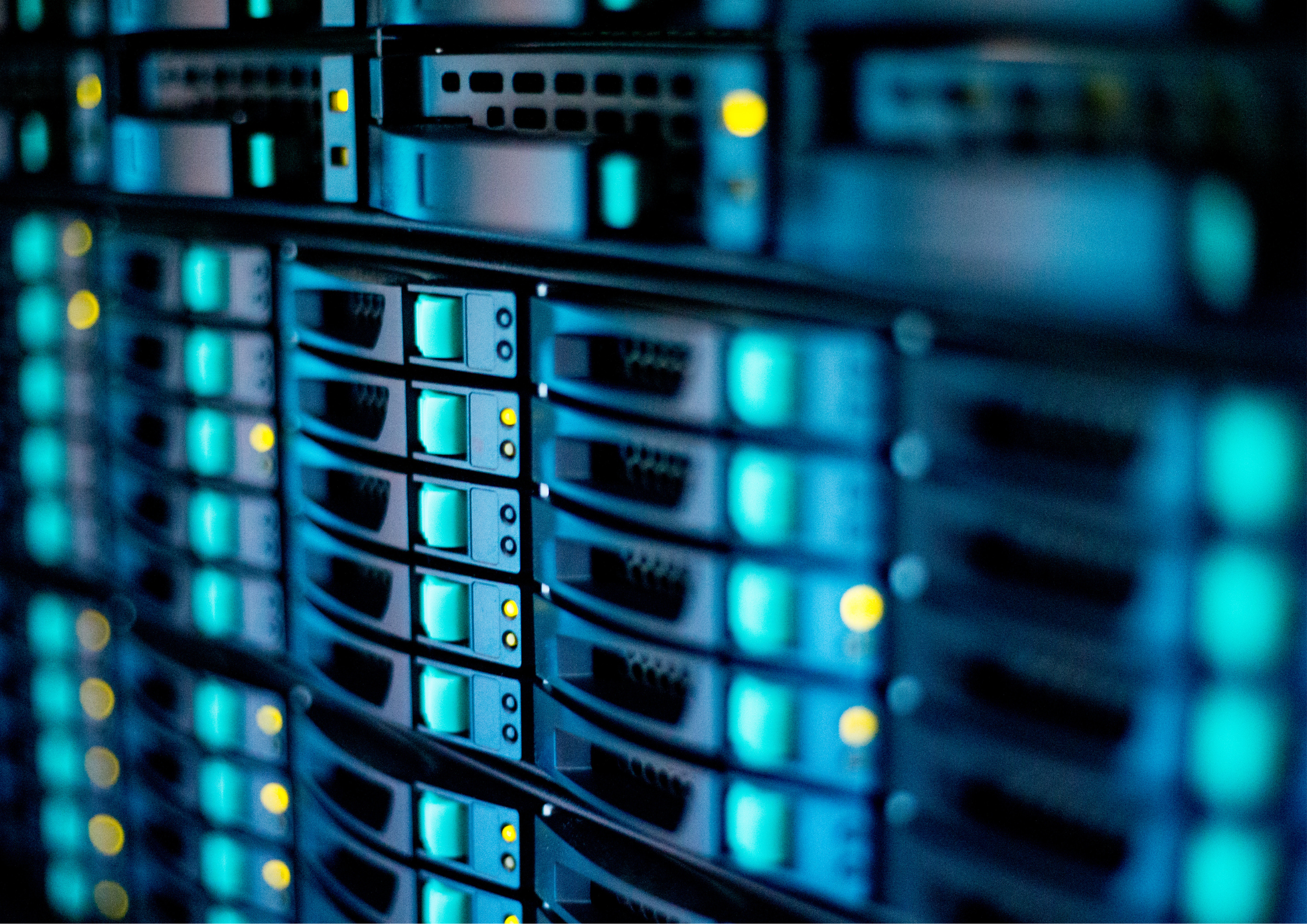
Supercomputers are the fastest and most powerful computers in the world. They are designed to perform billions of calculations per second and are used for tasks that require massive data processing.
Uses:
-
Weather forecasting
-
Climate research
-
Space exploration
-
Nuclear simulations
Real-World Example:
India’s PARAM supercomputer series is used in scientific research and national projects.
Benefits:
-
Extremely high speed and accuracy
-
Ability to solve complex scientific problems
Challenges:
-
Very expensive to build and maintain
-
Require specialized environments and experts
Mainframe Computers
Mainframe computers handle large volumes of data and support hundreds or thousands of users simultaneously. They are known for reliability and security rather than raw speed.
Uses:
-
Banking transactions
-
Airline reservation systems
-
Government databases
Real-World Example:
Large banks use mainframes to process millions of transactions daily.
Benefits:
-
High data security
-
Stable performance under heavy workloads
Challenges:
-
High operational cost
-
Limited accessibility for individual users
Minicomputers

Minicomputers are mid-sized systems that bridge the gap between mainframes and personal computers. While less common today, they played an important role in early organizational computing.
Uses:
-
Small business operations
-
Academic research labs
Real-World Example:
Early university computing centers used minicomputers to support multiple departments.
Benefits:
-
Cost-effective compared to mainframes
-
Support multiple users
Challenges:
-
Largely replaced by advanced servers
-
Limited scalability
Microcomputers

Microcomputers are the most familiar type and are designed for individual use. They include desktops, laptops, tablets, and smartphones.
Uses:
-
Education
-
Office work
-
Entertainment
-
Communication
Real-World Example:
Laptops used by students in a school in India for online learning and assignments.
Benefits:
-
Affordable and accessible
-
Easy to use and portable
Challenges:
-
Limited processing power compared to larger systems
-
Security risks if not managed properly
Classification Based on Purpose

General-Purpose Computers
General-purpose computers are designed to perform a wide range of tasks. They can be programmed to handle different applications such as word processing, calculations, and internet browsing.
Uses:
-
Learning and research
-
Business operations
-
Personal productivity
Real-World Example:
A desktop computer used by teachers for lesson planning and presentations.
Benefits:
-
Versatile and flexible
-
Suitable for most everyday tasks
Challenges:
-
Not optimized for highly specialized functions
Special-Purpose Computers
Special-purpose computers are built to perform a specific task or set of tasks. They are often embedded within other machines.
Uses:
-
Traffic control systems
-
Medical equipment
-
Industrial automation
Real-World Example:
Computers embedded in MRI machines for medical imaging.
Benefits:
-
High efficiency for specific tasks
-
Reliable and accurate
Challenges:
-
Limited functionality outside their intended purpose
-
Difficult to reprogram
Classification Based on Data Handling

Analog Computers
Analog computers process continuous data and are used where exact values are not required, but trends and patterns are important.
Uses:
-
Measuring temperature and pressure
-
Scientific simulations
Real-World Example:
Analog devices used in early weather monitoring systems.
Benefits:
-
Quick response to changing inputs
-
Useful for real-time analysis
Challenges:
-
Less accurate than digital systems
-
Limited modern applications
Digital Computers
Digital computers process discrete data using binary numbers (0 and 1). Most modern computers fall into this category.
Uses:
-
Education and research
-
Business and finance
-
Communication
Real-World Example:
Smartphones and laptops used in daily life.
Benefits:
-
High accuracy
-
Easy data storage and retrieval
Challenges:
-
Dependence on power and hardware
-
Vulnerable to cyber threats
Hybrid Computers
Hybrid computers combine features of both analog and digital systems. They are used in specialized environments where speed and accuracy are equally important.
Uses:
-
Medical monitoring systems
-
Scientific research
Real-World Example:
ICU monitoring machines that track patient vitals in real time.
Benefits:
-
Balanced performance
-
Reliable real-time processing
Challenges:
-
Complex design
-
High cost
Role of Computer Classification in Education

Understanding computer classification helps learners see technology as a structured system rather than a single tool. In the Modern Education System, this knowledge supports logical thinking and digital literacy. Students learn not just how to use computers, but why different systems exist and how they evolved to meet specific needs.
For educators, classification provides a framework for teaching computer fundamentals in a progressive and age-appropriate way. Parents also benefit by understanding which devices are suitable for learning, creativity, or basic use.
Benefits of Understanding Computer Types
-
Builds strong foundational knowledge in computer science
-
Helps students choose the right device for their needs
-
Improves awareness of real-world technology applications
-
Encourages informed and responsible use of digital tools
Challenges in Learning Computer Classification

-
Rapid technological change can make categories seem outdated
-
Overlapping features between devices may confuse learners
-
Lack of practical exposure in early education
Addressing these challenges requires updated curriculum content and hands-on learning opportunities.
Conclusion
The classification of computers provides a clear lens through which we can understand modern technology. By grouping computers based on size, purpose, and data handling, learners gain clarity about how different systems function and where they are used. From supercomputers driving scientific discovery to microcomputers supporting everyday learning, each type plays a unique role.
A strong understanding of computer classification empowers students, guides educators, and helps parents make informed decisions in a technology-driven world. As digital tools continue to evolve, this foundational knowledge will remain essential for navigating the future with confidence.
Frequently Asked Questions
1. What is the classification of computers?
The classification of computers is the process of grouping computers based on their size, purpose, and the type of data they handle.
2. Why are computers classified into different types?
Computers are classified to make it easier to understand their functions, uses, and suitability for specific tasks.
3. What are the main types of computers based on size?
Based on size, computers are classified into supercomputers, mainframe computers, minicomputers, and microcomputers.
4. What is the difference between general-purpose and special-purpose computers?
General-purpose computers perform multiple tasks, while special-purpose computers are designed to perform one specific function.
5. Which type of computer is most commonly used by students?
Microcomputers, such as desktops and laptops, are most commonly used by students for learning, research, and assignments.